DIPLOMADO DE PROFUNDIZACIÓN CISCO (DISEÑO E IMPLEMENTACIÓN DE SOLUCIONES INTEGRADAS LAN / WAN)
Evaluación – Prueba de habilidades prácticas CCNA
Presentado por: Alexander Herrera Ruiz
Grupo: 203092_5
Presentado a:
JOSE IGNACIO CARDONA Tutor
Universidad Nacional Abierta y a Distancia Escuela de Ciencias Básicas, Tecnología e Ingeniería
Introducción ... 3
Descripción de escenarios propuestos para la prueba de habilidades ... 4
Escenario 1 ... 4
Parte 2: Tabla de Enrutamiento ... 33
Parte 3: Deshabilitar la propagación del protocolo RIP ... 49
Parte 4: Verificación del protocolo RIP ... 49
a. Verificar y documentar las opciones de enrutamiento configuradas en los routers, como el passive interface para la conexión hacia el ISP, la versión de RIP y las interfaces que participan de la publicación entre otros datos. ... 49
Parte 5: Configurar encapsulamiento y autenticación PPP ... 54
Parte 6: Configuración de PAT ... 56
Parte 7: Configuración del servicio DHCP. ... 58
Escenario 2 ... 62
Configurar VLANs, Puertos troncales, puertos de acceso, encapsulamiento, Inter-VLAN Routing y Seguridad en los Switches acorde a la topología de red establecida ... 72
Desactivar todas las interfaces que no sean utilizadas en el esquema de red ... 76
Implement DHCP and NAT for IPv4 ... 76
Conclusiones ... 80
INTRODUCCIÓN
las Redes Informáticas, es una de las formas de comunicación más utilizadas para poder unir distintos dispositivos informáticos, realizando un intercambio de comunicación de datos, en el que se utiliza como infraestructura no solo al cableado sino también a los servidores o enrutadores, entre otros dispositivos que actúan en esta comunicación. No podemos hablar de la importancia de dichas redes sin retomar la importancia de las computadoras, de las cuales sin estos dispositivos electrónicos no podríamos realizar diversas funciones, se han convertido en parte esencial de nuestra vida ya que nos ayudan a ejecutar diversas funciones.
La finalidad principal por la cual se crea de una red de computadoras es compartir los recursos y la información en la distancia, proveer la confiabilidad, y permitir al usuario poder acceder a una misma información sin problemas llevándola de un equipo a otro.
Escenario 1
Una empresa posee sucursales distribuidas en las ciudades de Bogotá y Medellín, en donde el estudiante será el administrador de la red, el cual deberá configurar e interconectar entre sí cada uno de los dispositivos que forman parte del escenario, acorde con los lineamientos establecidos para el direccionamiento IP, protocolos de enrutamiento y demás aspectos que forman parte de la topología de red.
Topología de red
Este escenario plantea el uso de RIP como protocolo de enrutamiento, considerando que se tendran rutas por defecto redistribuidas; asimismo, habilitar el encapsulamiento PPP y su autenticación.
Los routers Bogota2 y medellin2 proporcionan el servicio DHCP a su propia red LAN y a los routers 3 de cada ciudad.
Debe configurar PPP en los enlaces hacia el ISP, con autenticación.
Debe habilitar NAT de sobrecarga en los routers Bogota1 y medellin1.
Como trabajo inicial se debe realizar lo siguiente.
•Realizar las rutinas de diagnóstico y dejar los equipos listos para su configuración
(asignar nombres de equipos, asignar claves de seguridad, etc).
Configuramos BOGOTA1 BOGOTA1>en
BOGOTA1#conf t
Enter configuration commands, one per line. End with CNTL/Z. BOGOTA1(config)#no ip domain-lookup
BOGOTA1(config)#service password-encryption BOGOTA1(config)#enable secret class
BOGOTA1(config)#banner motd $ Acceso No Autorizado $ BOGOTA1(config)#line console 0
BOGOTA1(config-line)#password cisco BOGOTA1(config-line)#login
BOGOTA1(config-line)#line vty 0 15 BOGOTA1(config-line)#password cisco BOGOTA1(config-line)#login
BOGOTA1(config-line)#exit BOGOTA1(config)#
Configuramos BOGOTA2 BOGOTA2>en
BOGOTA2#conf t
Enter configuration commands, one per line. End with CNTL/Z. BOGOTA2(config)#no ip domain-lookup
BOGOTA2(config)#service password-encryption BOGOTA2(config)#enable secret class
BOGOTA2(config)#banner motd $ Acceso No Autorizado $ BOGOTA2(config)#line console 0
BOGOTA2(config-line)#password cisco BOGOTA2(config-line)#login
BOGOTA2(config-line)#line vty 0 15 BOGOTA2(config-line)#password cisco BOGOTA2(config-line)#login
BOGOTA2(config-line)#exit BOGOTA2(config)#
BOGOTA2#
BOGOTA3#conf t
Enter configuration commands, one per line. End with CNTL/Z. BOGOTA3(config)#no ip domain-lookup
BOGOTA3(config)#service password-encryption BOGOTA3(config)#enable secret class
BOGOTA3(config)#banner motd $ Acceso No Autorizado $ BOGOTA3(config)#line console 0
BOGOTA3(config-line)#password cisco BOGOTA3(config-line)#login
BOGOTA3(config-line)#line vty 0 15 BOGOTA3(config-line)#password cisco BOGOTA3(config-line)#login
BOGOTA3(config-line)#exit BOGOTA3(config)#
Configuramos MEDELLIN1 MEDELLIN1>en
MEDELLIN1#conf t
Enter configuration commands, one per line. End with CNTL/Z. MEDELLIN1(config)#no ip domain-lookup
MEDELLIN1(config)#service password-encryption MEDELLIN1(config)#enable secret class
MEDELLIN1(config)#banner motd $ Acceso No Autorizado $ MEDELLIN1(config)#line console 0
MEDELLIN1(config-line)#line vty 0 15 MEDELLIN1(config-line)#password cisco MEDELLIN1(config-line)#login
MEDELLIN1(config-line)#exit MEDELLIN1(config)#
Configuramos MEDELLIN2 MEDELLIN2>en
MEDELLIN2#conf t
Enter configuration commands, one per line. End with CNTL/Z. MEDELLIN2(config)#no ip domain-lookup
MEDELLIN2(config)#service password-encryption MEDELLIN2(config)#enable secret class
MEDELLIN2(config)#banner motd $ Acceso No Autorizado $ MEDELLIN2(config)#line console 0
MEDELLIN2(config-line)#password cisco MEDELLIN2(config-line)#login
MEDELLIN2(config-line)#line vty 0 15 MEDELLIN2(config-line)#password cisco MEDELLIN2(config-line)#login
Configuramos MEDELLIN3 MEDELLIN3>en
MEDELLIN3#conf t
Enter configuration commands, one per line. End with CNTL/Z. MEDELLIN3(config)#no ip domain-lookup
MEDELLIN3(config)#service password-encryption MEDELLIN3(config)#enable secret class
MEDELLIN3(config)#banner motd $ Acceso No Autorizado $ MEDELLIN3(config)#line console 0
MEDELLIN3(config-line)#password cisco MEDELLIN3(config-line)#login
MEDELLIN3(config-line)#line vty 0 15 MEDELLIN3(config-line)#password cisco MEDELLIN3(config-line)#login
•Realizar la conexión fisica de los equipos con base en la topología de red
Configuramos MEDELLIN1 con relación al router del ISP Router>en
Router#conf t
Enter configuration commands, one per line. End with CNTL/Z. Router(config)#hostname MEDELLIN1
MEDELLIN1#conf t
Enter configuration commands, one per line. End with CNTL/Z. MEDELLIN1(config)#int s0/0/0
MEDELLIN1(config-if)#ip add 209.17.220.2 255.255.255.252 MEDELLIN1(config-if)#clock rate 4000000
MEDELLIN1(config-if)#no sh
%LINK-5-CHANGED: Interface Serial0/0/0, changed state to down MEDELLIN1(config-if)#exit
MEDELLIN1(config)#
Configuramos MEDELLIN1 MEDELLIN1#conf t
Enter configuration commands, one per line. End with CNTL/Z. MEDELLIN1(config)#int s0/0/1
MEDELLIN1(config-if)#ip add 172.29.6.1 255.255.255.252 MEDELLIN1(config-if)#clock rate 4000000
MEDELLIN1(config-if)#no shutdown
%LINK-5-CHANGED: Interface Serial0/0/1, changed state to down MEDELLIN1(config-if)#exit
MEDELLIN1#conf t
Enter configuration commands, one per line. End with CNTL/Z. MEDELLIN1(config)#int s0/1/0
MEDELLIN1(config-if)#ip add 172.29.6.9 255.255.255.252 MEDELLIN1(config-if)#clock rate 4000000
MEDELLIN1(config-if)#no shutdown
%LINK-5-CHANGED: Interface Serial0/1/0, changed state to down MEDELLIN1(config-if)#exit
MEDELLIN1(config)#
Configuramos MEDELLIN2 Router>en
Router#conf t
Enter configuration commands, one per line. End with CNTL/Z. Router(config)#int s0/0/0
Router(config-if)#ip add 172.29.6.2 255.255.255.252 Router(config-if)#clock rate 4000000
Router(config-if)#no shutdown Router(config-if)#
%LINEPROTO-5-UPDOWN: Line protocol on Interface Serial0/0/0, changed state to up
Router(config-if)#exit
Router(config)#hostname MEDELLIN2 MEDELLIN2(config)#
Router(config)#hostname MEDELLIN2 MEDELLIN2(config)#int s0/0/1
MEDELLIN2(config-if)#ip add 172.29.6.5 255.255.255.252 MEDELLIN2(config-if)#clock rate 4000000
MEDELLIN2(config-if)#no shutdown
%LINK-5-CHANGED: Interface Serial0/0/1, changed state to down MEDELLIN2(config-if)#no shutdown
MEDELLIN2(config-if)#exit MEDELLIN2(config)#int f0/0
MEDELLIN2(config-if)#ip add 172.29.4.1 255.255.255.128 MEDELLIN2(config-if)#no shutdown
MEDELLIN2(config-if)#
%LINK-5-CHANGED: Interface FastEthernet0/0, changed state to up
%LINEPROTO-5-UPDOWN: Line protocol on Interface FastEthernet0/0, changed state to up
Configuramos MEDELLIN3 Router>EN
Router#conf t
Enter configuration commands, one per line. End with CNTL/Z. Router(config)#hostname MEDELLIN3
MEDELLIN3(config)#int s0/0/0
MEDELLIN3(config-if)#ip add 172.29.6.10 255.255.255.252 MEDELLIN3(config-if)#no shutdown
MEDELLIN3(config-if)#
%LINK-5-CHANGED: Interface Serial0/0/0, changed state to up MEDELLIN3(config-if)#
%LINEPROTO-5-UPDOWN: Line protocol on Interface Serial0/0/0, changed state to up
MEDELLIN3(config-if)#exit
MEDELLIN3(config)#int s0/0/1
MEDELLIN3(config-if)#ip add 172.29.6.14 255.255.255.252 MEDELLIN3(config-if)#no shutdown
MEDELLIN3(config-if)#
%LINK-5-CHANGED: Interface Serial0/0/1, changed state to up MEDELLIN3(config-if)#exit
MEDELLIN3(config)#
%LINEPROTO-5-UPDOWN: Line protocol on Interface Serial0/0/1, changed state to up
MEDELLIN3(config)#
MEDELLIN3(config)#
MEDELLIN3(config)#int s0/1/0
MEDELLIN3(config-if)#ip add 172.29.6.6 255.255.255.252 MEDELLIN3(config-if)#no shutdown
MEDELLIN3(config-if)#
%LINK-5-CHANGED: Interface Serial0/1/0, changed state to up MEDELLIN3(config-if)#
%LINEPROTO-5-UPDOWN: Line protocol on Interface Serial0/1/0, changed state to up
MEDELLIN3(config)#
MEDELLIN3(config)#int s0/1/0
MEDELLIN3(config-if)#ip add 172.29.3.14 255.255.255.252 MEDELLIN3(config-if)#no shutdown
MEDELLIN3(config-if)#exit MEDELLIN3(config)#
MEDELLIN3(config)# MEDELLIN3(config)#int f0/0
MEDELLIN3(config-if)#ip add 172.29.4.129 255.255.255.128 MEDELLIN3(config-if)#no shutdown
MEDELLIN3(config-if)#
%LINK-5-CHANGED: Interface FastEthernet0/0, changed state to up
%LINEPROTO-5-UPDOWN: Line protocol on Interface FastEthernet0/0, changed state to up
Configuramos Router>en Router#conf t
Enter configuration commands, one per line. End with CNTL/Z. Router(config)#hostname ISP
ISP(config)#int s0/0/0
ISP(config-if)#ip add 209.17.220.1 255.255.255.252 ISP(config-if)#no shutdown
ISP(config-if)#
%LINK-5-CHANGED: Interface Serial0/0/0, changed state to up
%LINEPROTO-5-UPDOWN: Line protocol on Interface Serial0/0/0, changed state to up
ISP(config-if)#exit ISP(config)#
ISP(config)#
ISP(config)#int s0/0/1
ISP(config-if)#no shutdown
%LINK-5-CHANGED: Interface Serial0/0/1, changed state to down ISP(config-if)#exit
ISP(config)#
Configuramos B0GOTA1
Router>en Router#conf t
Enter configuration commands, one per line. End with CNTL/Z. Router(config)#hostname BOGOTA1
BOGOTA1(config)#int s0/0/0
BOGOTA1(config-if)#ip add 209.17.220.6 255.255.255.252 BOGOTA1(config-if)#no shutdown
BOGOTA1(config-if)#
%LINK-5-CHANGED: Interface Serial0/0/0, changed state to up
%LINEPROTO-5-UPDOWN: Line protocol on Interface Serial0/0/0, changed state to up
BOGOTA1(config)#int s0/0/1
BOGOTA1(config-if)#ip add 172.29.3.9 255.255.255.252 BOGOTA1(config-if)#clock rate 4000000
This command applies only to DCE interfaces BOGOTA1(config-if)#no shutdown
%LINK-5-CHANGED: Interface Serial0/0/1, changed state to down BOGOTA1(config-if)#no shutdown
BOGOTA1(config-if)#exit BOGOTA1(config)#
BOGOTA1#conf t
Enter configuration commands, one per line. End with CNTL/Z. BOGOTA1(config)#int s0/1/0
BOGOTA1(config-if)#ip add 172.29.3.1 255.255.255.252 BOGOTA1(config-if)#clock rate 4000000
BOGOTA1(config-if)#no shutdown
BOGOTA1(config)#
BOGOTA1#conf t
Enter configuration commands, one per line. End with CNTL/Z. BOGOTA1(config)#int s0/1/1
BOGOTA1(config-if)#ip add 172.29.3.5 255.255.255.252 BOGOTA1(config-if)#no shutdown
BOGOTA1(config-if)#exit BOGOTA1(config)# BOGOTA1#
%SYS-5-CONFIG_I: Configured from console by console
Configuramos B0GOTA2
Router>en Router#conf t
Enter configuration commands, one per line. End with CNTL/Z. Router(config)#hostname BOGOTA2
BOGOTA2(config)#int s0/0/0
BOGOTA2(config-if)#
%LINK-5-CHANGED: Interface Serial0/0/0, changed state to up
%LINEPROTO-5-UPDOWN: Line protocol on Interface Serial0/0/0, changed state to up
BOGOTA2(config-if)#
BOGOTA2(config)#
BOGOTA2(config)#int s0/0/1
BOGOTA2(config-if)#ip add 172.9.3.13 255.255.255.252 BOGOTA2(config-if)#clock rate 4000000
This command applies only to DCE interfaces BOGOTA2(config-if)#no shutdown
%LINK-5-CHANGED: Interface Serial0/0/1, changed state to down BOGOTA2(config-if)#exit
BOGOTA2(config)#
BOGOTA2(config)#int f0/0
BOGOTA2(config-if)#
%LINK-5-CHANGED: Interface FastEthernet0/0, changed state to up
%LINEPROTO-5-UPDOWN: Line protocol on Interface FastEthernet0/0, changed state to up
BOGOTA2(config-if)#exit BOGOTA2(config)#
Configuramos B0GOTA3
Router>en Router#conf t
Enter configuration commands, one per line. End with CNTL/Z. Router(config)#hostname BOGOTA3
BOGOTA3(config)#int s0/0/0
BOGOTA3(config-if)#ip add 172.29.3.2 255.255.255.252 BOGOTA3(config-if)#no shutdown
BOGOTA3(config-if)#
%LINK-5-CHANGED: Interface Serial0/0/0, changed state to up
%LINEPROTO-5-UPDOWN: Line protocol on Interface Serial0/0/0, changed state to up
BOGOTA3(config)#
BOGOTA3(config)#int s0/0/1
BOGOTA3(config-if)#ip add 172.29.3.6 255.255.255.252 BOGOTA3(config-if)#no shutdown
BOGOTA3(config-if)#
%LINK-5-CHANGED: Interface Serial0/0/1, changed state to up BOGOTA3(config-if)#
%LINEPROTO-5-UPDOWN: Line protocol on Interface Serial0/0/1, changed state to up
BOGOTA3(config-if)#
BOGOTA3(config)#int s0/1/0
BOGOTA3(config-if)#ip address 172.29.3.14 255.255.255.252 BOGOTA3(config-if)#clock rate 4000000
BOGOTA3(config-if)#no shutdown BOGOTA3(config-if)#
%LINK-5-CHANGED: Interface Serial0/1/0, changed state to up
to up
BOGOTA3(config-if)#exit BOGOTA3(config)#
BOGOTA3(config)#
BOGOTA3(config)#int f0/0
BOGOTA3(config-if)#ip add 172.29.0.1 255.255.255.0 BOGOTA3(config-if)#no shutdown
BOGOTA3(config-if)#
%LINK-5-CHANGED: Interface FastEthernet0/0, changed state to up
%LINEPROTO-5-UPDOWN: Line protocol on Interface FastEthernet0/0, changed state to up
Configurar la topología de red, de acuerdo con las siguientes especificaciones.
Parte 1: Configuración del enrutamiento
a. Configurar el enrutamiento en la red usando el protocolo RIP versión 2, declare la
red principal, desactive la sumarización automática.
RTA:
Configuramos MEDELLIN1 MEDELLIN1>en
MEDELLIN1#conf t
Enter configuration commands, one per line. End with CNTL/Z. MEDELLIN1(config)#router rip
MEDELLIN1(config-router)#version 2
MEDELLIN1(config-router)#no auto-summary
MEDELLIN1(config-router)#do show ip route connected C 172.29.6.0/30 is directly connected, Serial0/0/1
C 209.17.220.0/30 is directly connected, Serial0/0/0 MEDELLIN1(config-router)#network 172.29.6.0 MEDELLIN1(config-router)#network 172.29.6.8 MEDELLIN1(config-router)#network 172.29.6.12 MEDELLIN1(config-router)#passive-interface s0/0/0 MEDELLIN1(config-router)#
MEDELLIN1#
Configuramos MEDELLIN2 MEDELLIN2>en
MEDELLIN2#conf t
Enter configuration commands, one per line. End with CNTL/Z. MEDELLIN2(config)#router rip
MEDELLIN2(config-router)#version 2
MEDELLIN2(config-router)#no auto-summary
MEDELLIN2(config-router)#do show ip route connected C 172.29.4.0/25 is directly connected, FastEthernet0/0 C 172.29.6.0/30 is directly connected, Serial0/0/0
MEDELLIN2(config-router)#
Configuramos MEDELLIN3 MEDELLIN3>en
MEDELLIN3#conf t
Enter configuration commands, one per line. End with CNTL/Z. MEDELLIN3(config)#router rip
MEDELLIN3(config-router)#version 2
MEDELLIN3(config-router)#no auto-summary
MEDELLIN3(config-router)#do show ip route connected C 172.29.3.12/30 is directly connected, Serial0/1/0
C 172.29.4.128/25 is directly connected, FastEthernet0/0 C 172.29.6.8/30 is directly connected, Serial0/0/0
C 172.29.6.12/30 is directly connected, Serial0/0/1 MEDELLIN3(config-router)#network 172.29.4.128 MEDELLIN3(config-router)#network 172.29.6.4 MEDELLIN3(config-router)#network 172.29.6.8 MEDELLIN3(config-router)#network 172.29.6.12 MEDELLIN3(config-router)#passive-interface f0/0 MEDELLIN3(config-router)#
Configuramos BOGOTA1
BOGOTA1>en BOGOTA1#conf t
Enter configuration commands, one per line. End with CNTL/Z. BOGOTA1(config)#router rip
BOGOTA1(config-router)#version 2
BOGOTA1(config-router)#no auto-summary
BOGOTA1(config-router)#do show ip route connected C 172.29.3.0/30 is directly connected, Serial0/1/0 C 172.29.3.4/30 is directly connected, Serial0/1/1 C 172.29.3.8/30 is directly connected, Serial0/0/1 C 209.17.220.4/30 is directly connected, Serial0/0/0 BOGOTA1(config-router)#network 172.29.3.0
Configuramos BOGOTA2 BOGOTA2>en
BOGOTA2#conf t
Enter configuration commands, one per line. End with CNTL/Z. BOGOTA2(config)#router rip
BOGOTA2(config-router)#version 2
BOGOTA2(config-router)#no auto-summary
Configuramos BOGOTA3 BOGOTA3>en
BOGOTA3#conf t
Enter configuration commands, one per line. End with CNTL/Z. BOGOTA3(config)#route rip
BOGOTA3(config-router)#version 2
BOGOTA3(config-router)#no auto-summary
b. Los routers Bogota1 y Medellín1 deberán añadir a su configuración de enrutamiento una ruta por defecto hacia el ISP y, a su vez, redistribuirla dentro de las publicaciones de RIP.
Verificación del Router en MEDELLIN1 MEDELLIN1>show ip route
Codes: C - connected, S - static, I - IGRP, R - RIP, M - mobile, B - BGP D - EIGRP, EX - EIGRP external, O - OSPF, IA - OSPF inter area N1 - OSPF NSSA external type 1, N2 - OSPF NSSA external type 2 E1 - OSPF external type 1, E2 - OSPF external type 2, E - EGP i - IS-IS, L1 - IS-IS level-1, L2 - IS-IS level-2, ia - IS-IS inter area * - candidate default, U - per-user static route, o - ODR
P - periodic downloaded static route
Gateway of last resort is not set
172.29.0.0/16 is variably subnetted, 7 subnets, 2 masks
R 172.29.3.12/30 [120/1] via 172.29.6.14, 00:00:07, Serial0/1/1
[120/1] via 172.29.6.10, 00:00:07, Serial0/1/0
R 172.29.4.0/25 [120/1] via 172.29.6.2, 00:00:21, Serial0/0/1
R 172.29.4.128/25 [120/1] via 172.29.6.14, 00:00:07, Serial0/1/1
C 172.29.6.0/30 is directly connected, Serial0/0/1
R 172.29.6.4/30 [120/1] via 172.29.6.2, 00:00:21, Serial0/0/1
C 172.29.6.8/30 is directly connected, Serial0/1/0
C 172.29.6.12/30 is directly connected, Serial0/1/1
209.17.220.0/30 is subnetted, 1 subnets
C 209.17.220.0 is directly connected, Serial0/0/0
MEDELLIN1>
Verificación del Router en BOGOTA1 BOGOTA1#show ip route
Codes: C - connected, S - static, I - IGRP, R - RIP, M - mobile, B - BGP D - EIGRP, EX - EIGRP external, O - OSPF, IA - OSPF inter area N1 - OSPF NSSA external type 1, N2 - OSPF NSSA external type 2 E1 - OSPF external type 1, E2 - OSPF external type 2, E - EGP i - IS-IS, L1 - IS-IS level-1, L2 - IS-IS level-2, ia - IS-IS inter area * - candidate default, U - per-user static route, o - ODR
Gateway of last resort is not set
172.9.0.0/30 is subnetted, 1 subnets
R 172.9.3.12 [120/1] via 172.29.3.10, 00:00:18, Serial0/0/1
172.29.0.0/16 is variably subnetted, 6 subnets, 2 masks
R 172.29.0.0/24 [120/1] via 172.29.3.2, 00:00:20, Serial0/1/0
[120/1] via 172.29.3.6, 00:00:20, Serial0/1/1
R 172.29.1.0/24 [120/1] via 172.29.3.10, 00:00:18, Serial0/0/1
C 172.29.3.0/30 is directly connected, Serial0/1/0 C 172.29.3.4/30 is directly connected, Serial0/1/1 C 172.29.3.8/30 is directly connected, Serial0/0/1
R 172.29.3.12/30 [120/1] via 172.29.3.2, 00:00:20, Serial0/1/0
[120/1] via 172.29.3.6, 00:00:20, Serial0/1/1 209.17.220.0/30 is subnetted, 1 subnets
C 209.17.220.4 is directly connected, Serial0/0/0
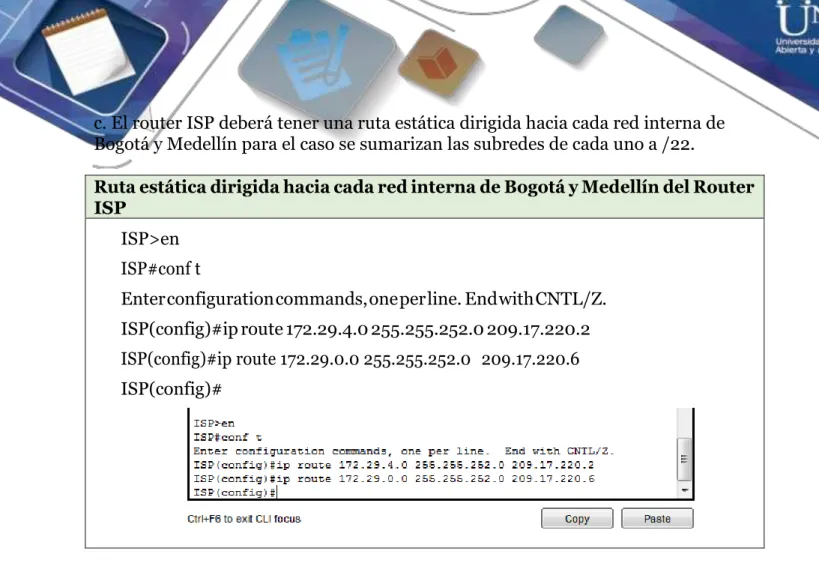
Ruta estática dirigida hacia cada red interna de Bogotá y Medellín del Router ISP
ISP>en ISP#conf t
Enter configuration commands, one per line. End with CNTL/Z. ISP(config)#ip route 172.29.4.0 255.255.252.0 209.17.220.2 ISP(config)#ip route 172.29.0.0 255.255.252.0 209.17.220.6 ISP(config)#
Parte 2: Tabla de Enrutamiento.
a. Verificar la tabla de enrutamiento en cada uno de los routers para comprobar las
redes y sus rutas.
Verificación tabla de enrutamiento del Router MEDELLIN1 MEDELLIN1>show ip route
Codes: C - connected, S - static, I - IGRP, R - RIP, M - mobile, B - BGP D - EIGRP, EX - EIGRP external, O - OSPF, IA - OSPF inter area N1 - OSPF NSSA external type 1, N2 - OSPF NSSA external type 2 E1 - OSPF external type 1, E2 - OSPF external type 2, E - EGP i - IS-IS, L1 - IS-IS level-1, L2 - IS-IS level-2, ia - IS-IS inter area * - candidate default, U - per-user static route, o - ODR
P - periodic downloaded static route
Gateway of last resort is not set
172.29.0.0/16 is variably subnetted, 7 subnets, 2 masks
R 172.29.3.12/30 [120/1] via 172.29.6.14, 00:00:14, Serial0/1/1 [120/1] via 172.29.6.10, 00:00:14, Serial0/1/0
R 172.29.4.0/25 [120/1] via 172.29.6.2, 00:00:17, Serial0/0/1
R 172.29.4.128/25 [120/1] via 172.29.6.14, 00:00:14, Serial0/1/1
[120/1] via 172.29.6.10, 00:00:14, Serial0/1/0
C 172.29.6.0/30 is directly connected, Serial0/0/1
R 172.29.6.4/30 [120/1] via 172.29.6.2, 00:00:17, Serial0/0/1
C 172.29.6.8/30 is directly connected, Serial0/1/0
C 172.29.6.12/30 is directly connected, Serial0/1/1
209.17.220.0/30 is subnetted, 1 subnets
C 209.17.220.0 is directly connected, Serial0/0/0
MEDELLIN1>
Verificación tabla de enrutamiento del Router MEDELLIN2 MEDELLIN2>show ip route
* - candidate default, U - per-user static route, o - ODR P - periodic downloaded static route
Gateway of last resort is not set
172.29.0.0/16 is variably subnetted, 7 subnets, 2 masks
R 172.29.3.12/30 [120/2] via 172.29.6.1, 00:00:06, Serial0/0/0
C 172.29.4.0/25 is directly connected, FastEthernet0/0
R 172.29.4.128/25 [120/2] via 172.29.6.1, 00:00:06, Serial0/0/0
C 172.29.6.0/30 is directly connected, Serial0/0/0
C 172.29.6.4/30 is directly connected, Serial0/0/1
R 172.29.6.8/30 [120/1] via 172.29.6.1, 00:00:06, Serial0/0/0
R 172.29.6.12/30 [120/1] via 172.29.6.1, 00:00:06, Serial0/0/0
MEDELLIN2>
Verificación tabla de enrutamiento del Router MEDELLIN3 MEDELLIN3>show ip route
E1 - OSPF external type 1, E2 - OSPF external type 2, E - EGP i - IS-IS, L1 - IS-IS level-1, L2 - IS-IS level-2, ia - IS-IS inter area * - candidate default, U - per-user static route, o - ODR
P - periodic downloaded static route
Gateway of last resort is not set
172.29.0.0/16 is variably subnetted, 7 subnets, 2 masks
C 172.29.3.12/30 is directly connected, Serial0/1/0
R 172.29.4.0/25 [120/2] via 172.29.6.13, 00:00:24, Serial0/0/1
[120/2] via 172.29.6.9, 00:00:24, Serial0/0/0
C 172.29.4.128/25 is directly connected, FastEthernet0/0
R 172.29.6.0/30 [120/1] via 172.29.6.13, 00:00:24, Serial0/0/1
[120/1] via 172.29.6.9, 00:00:24, Serial0/0/0
R 172.29.6.4/30 [120/2] via 172.29.6.13, 00:00:24, Serial0/0/1
[120/2] via 172.29.6.9, 00:00:24, Serial0/0/0
C 172.29.6.8/30 is directly connected, Serial0/0/0
C 172.29.6.12/30 is directly connected, Serial0/0/1
Verificación tabla de enrutamiento del Router BOGOTA1 BOGOTA1>show ip route
Codes: C - connected, S - static, I - IGRP, R - RIP, M - mobile, B - BGP D - EIGRP, EX - EIGRP external, O - OSPF, IA - OSPF inter area N1 - OSPF NSSA external type 1, N2 - OSPF NSSA external type 2 E1 - OSPF external type 1, E2 - OSPF external type 2, E - EGP i - IS-IS, L1 - IS-IS level-1, L2 - IS-IS level-2, ia - IS-IS inter area * - candidate default, U - per-user static route, o - ODR
P - periodic downloaded static route
Gateway of last resort is not set
172.9.0.0/30 is subnetted, 1 subnets
R 172.9.3.12 [120/1] via 172.29.3.10, 00:00:08, Serial0/0/1
172.29.0.0/16 is variably subnetted, 6 subnets, 2 masks
R 172.29.0.0/24 [120/1] via 172.29.3.2, 00:00:24, Serial0/1/0
[120/1] via 172.29.3.6, 00:00:24, Serial0/1/1
R 172.29.1.0/24 [120/1] via 172.29.3.10, 00:00:08, Serial0/0/1
C 172.29.3.0/30 is directly connected, Serial0/1/0 C 172.29.3.4/30 is directly connected, Serial0/1/1 C 172.29.3.8/30 is directly connected, Serial0/0/1
R 172.29.3.12/30 [120/1] via 172.29.3.2, 00:00:24, Serial0/1/0
[120/1] via 172.29.3.6, 00:00:24, Serial0/1/1 209.17.220.0/30 is subnetted, 1 subnets
C 209.17.220.4 is directly connected, Serial0/0/0
Verificación tabla de enrutamiento del Router BOGOTA2 BOGOTA2>show ip route
Codes: C - connected, S - static, I - IGRP, R - RIP, M - mobile, B - BGP D - EIGRP, EX - EIGRP external, O - OSPF, IA - OSPF inter area N1 - OSPF NSSA external type 1, N2 - OSPF NSSA external type 2 E1 - OSPF external type 1, E2 - OSPF external type 2, E - EGP i - IS-IS, L1 - IS-IS level-1, L2 - IS-IS level-2, ia - IS-IS inter area * - candidate default, U - per-user static route, o - ODR
P - periodic downloaded static route
Gateway of last resort is not set
172.9.0.0/30 is subnetted, 1 subnets
C 172.9.3.12 is directly connected, Serial0/0/1
172.29.0.0/16 is variably subnetted, 6 subnets, 2 masks
R 172.29.0.0/24 [120/2] via 172.29.3.9, 00:00:22, Serial0/0/0
C 172.29.1.0/24 is directly connected, FastEthernet0/0
R 172.29.3.0/30 [120/1] via 172.29.3.9, 00:00:22, Serial0/0/0
R 172.29.3.4/30 [120/1] via 172.29.3.9, 00:00:22, Serial0/0/0
R 172.29.3.12/30 [120/2] via 172.29.3.9, 00:00:22, Serial0/0/0
BOGOTA2>
Verificación tabla de enrutamiento del Router BOGOTA3 BOGOTA3>show ip route
Codes: C - connected, S - static, I - IGRP, R - RIP, M - mobile, B - BGP D - EIGRP, EX - EIGRP external, O - OSPF, IA - OSPF inter area N1 - OSPF NSSA external type 1, N2 - OSPF NSSA external type 2 E1 - OSPF external type 1, E2 - OSPF external type 2, E - EGP i - IS-IS, L1 - IS-IS level-1, L2 - IS-IS level-2, ia - IS-IS inter area * - candidate default, U - per-user static route, o - ODR
P - periodic downloaded static route
Gateway of last resort is not set
172.9.0.0/30 is subnetted, 1 subnets
R 172.9.3.12 [120/2] via 172.29.3.1, 00:00:15, Serial0/0/0
[120/2] via 172.29.3.5, 00:00:15, Serial0/0/1 172.29.0.0/16 is variably subnetted, 6 subnets, 2 masks
C 172.29.0.0/24 is directly connected, FastEthernet0/0
[120/2] via 172.29.3.5, 00:00:15, Serial0/0/1
C 172.29.3.0/30 is directly connected, Serial0/0/0
C 172.29.3.4/30 is directly connected, Serial0/0/1
R 172.29.3.8/30 [120/1] via 172.29.3.1, 00:00:15, Serial0/0/0
[120/1] via 172.29.3.5, 00:00:15, Serial0/0/1
C 172.29.3.12/30 is directly connected, Serial0/1/0
BOGOTA3>
b. Verificar el balanceo de carga que presentan los routers.
Verificación del balanceo de carga del Router MEDELLIN1 MEDELLIN1>show ip route
Codes: C - connected, S - static, I - IGRP, R - RIP, M - mobile, B - BGP D - EIGRP, EX - EIGRP external, O - OSPF, IA - OSPF inter area N1 - OSPF NSSA external type 1, N2 - OSPF NSSA external type 2 E1 - OSPF external type 1, E2 - OSPF external type 2, E - EGP i - IS-IS, L1 - IS-IS level-1, L2 - IS-IS level-2, ia - IS-IS inter area * - candidate default, U - per-user static route, o - ODR
Gateway of last resort is not set
172.29.0.0/16 is variably subnetted, 7 subnets, 2 masks
R 172.29.3.12/30 [120/1] via 172.29.6.14, 00:00:06, Serial0/1/1
[120/1] via 172.29.6.10, 00:00:06, Serial0/1/0
R 172.29.4.0/25 [120/1] via 172.29.6.2, 00:00:22, Serial0/0/1
R 172.29.4.128/25 [120/1] via 172.29.6.14, 00:00:06, Serial0/1/1
[120/1] via 172.29.6.10, 00:00:06, Serial0/1/0
C 172.29.6.0/30 is directly connected, Serial0/0/1
R 172.29.6.4/30 [120/1] via 172.29.6.2, 00:00:22, Serial0/0/1
C 172.29.6.8/30 is directly connected, Serial0/1/0
C 172.29.6.12/30 is directly connected, Serial0/1/1
209.17.220.0/30 is subnetted, 1 subnets
C 209.17.220.0 is directly connected, Serial0/0/0
MEDELLIN1>
Verificación del balanceo de carga del Router MEDELLIN3 MEDELLIN3>show ip route
Codes: C - connected, S - static, I - IGRP, R - RIP, M - mobile, B - BGP D - EIGRP, EX - EIGRP external, O - OSPF, IA - OSPF inter area N1 - OSPF NSSA external type 1, N2 - OSPF NSSA external type 2 E1 - OSPF external type 1, E2 - OSPF external type 2, E - EGP i - IS-IS, L1 - IS-IS level-1, L2 - IS-IS level-2, ia - IS-IS inter area * - candidate default, U - per-user static route, o - ODR
P - periodic downloaded static route
Gateway of last resort is not set
172.29.0.0/16 is variably subnetted, 7 subnets, 2 masks
C 172.29.3.12/30 is directly connected, Serial0/1/0
[120/2] via 172.29.6.9, 00:00:03, Serial0/0/0
C 172.29.4.128/25 is directly connected, FastEthernet0/0
R 172.29.6.0/30 [120/1] via 172.29.6.13, 00:00:03, Serial0/0/1
[120/1] via 172.29.6.9, 00:00:03, Serial0/0/0
R 172.29.6.4/30 [120/2] via 172.29.6.13, 00:00:03, Serial0/0/1
[120/2] via 172.29.6.9, 00:00:03, Serial0/0/0
C 172.29.6.8/30 is directly connected, Serial0/0/0
C 172.29.6.12/30 is directly connected, Serial0/0/1
MEDELLIN3>
Verificación del balanceo de carga del Router BOGOTA1 BOGOTA1>show ip route
Codes: C - connected, S - static, I - IGRP, R - RIP, M - mobile, B - BGP D - EIGRP, EX - EIGRP external, O - OSPF, IA - OSPF inter area N1 - OSPF NSSA external type 1, N2 - OSPF NSSA external type 2 E1 - OSPF external type 1, E2 - OSPF external type 2, E - EGP i - IS-IS, L1 - IS-IS level-1, L2 - IS-IS level-2, ia - IS-IS inter area * - candidate default, U - per-user static route, o - ODR
P - periodic downloaded static route
Gateway of last resort is not set
172.9.0.0/30 is subnetted, 1 subnets
R 172.9.3.12 [120/1] via 172.29.3.10, 00:00:02, Serial0/0/1
172.29.0.0/16 is variably subnetted, 6 subnets, 2 masks
R 172.29.0.0/24 [120/1] via 172.29.3.2, 00:00:23, Serial0/1/0
[120/1] via 172.29.3.6, 00:00:23, Serial0/1/1
R 172.29.1.0/24 [120/1] via 172.29.3.10, 00:00:02, Serial0/0/1
C 172.29.3.0/30 is directly connected, Serial0/1/0 C 172.29.3.4/30 is directly connected, Serial0/1/1 C 172.29.3.8/30 is directly connected, Serial0/0/1
[120/1] via 172.29.3.6, 00:00:23, Serial0/1/1 209.17.220.0/30 is subnetted, 1 subnets
C 209.17.220.4 is directly connected, Serial0/0/0
BOGOTA1>
Verificación del balanceo de carga del Router BOGOTA3
BOGOTA3>show ip route
Codes: C - connected, S - static, I - IGRP, R - RIP, M - mobile, B - BGP D - EIGRP, EX - EIGRP external, O - OSPF, IA - OSPF inter area N1 - OSPF NSSA external type 1, N2 - OSPF NSSA external type 2 E1 - OSPF external type 1, E2 - OSPF external type 2, E - EGP i - IS-IS, L1 - IS-IS level-1, L2 - IS-IS level-2, ia - IS-IS inter area * - candidate default, U - per-user static route, o - ODR
P - periodic downloaded static route
Gateway of last resort is not set
172.9.0.0/30 is subnetted, 1 subnets
R 172.9.3.12 [120/2] via 172.29.3.1, 00:00:21, Serial0/0/0
[120/2] via 172.29.3.5, 00:00:21, Serial0/0/1
172.29.0.0/16 is variably subnetted, 6 subnets, 2 masks
C 172.29.0.0/24 is directly connected, FastEthernet0/0
R 172.29.1.0/24 [120/2] via 172.29.3.1, 00:00:21, Serial0/0/0
[120/2] via 172.29.3.5, 00:00:21, Serial0/0/1
C 172.29.3.0/30 is directly connected, Serial0/0/0
C 172.29.3.4/30 is directly connected, Serial0/0/1
R 172.29.3.8/30 [120/1] via 172.29.3.1, 00:00:21, Serial0/0/0
[120/1] via 172.29.3.5, 00:00:21, Serial0/0/1
C 172.29.3.12/30 is directly connected, Serial0/1/0
Similitud por su ubicación BOGOTA1 y MEDELLIN1 MEDELLIN1
BOGOTA1
d. Los routers Medellín2 y Bogotá2 también presentan redes conectadas
directamente y recibidas mediante RIP.
Redes conectadas directamente y recibidas mediante RIP MEDELLÍN2 y BOGOTÁ2
MEDELLIN2
BOGOTA2
e. Las tablas de los routers restantes deben permitir visualizar rutas redundantes
para el caso de la ruta por defecto.
Rutas redundantes BOGOTA1 BOGOTA1>show ip route
Codes: C - connected, S - static, I - IGRP, R - RIP, M - mobile, B - BGP D - EIGRP, EX - EIGRP external, O - OSPF, IA - OSPF inter area N1 - OSPF NSSA external type 1, N2 - OSPF NSSA external type 2 E1 - OSPF external type 1, E2 - OSPF external type 2, E - EGP i - IS-IS, L1 - IS-IS level-1, L2 - IS-IS level-2, ia - IS-IS inter area * - candidate default, U - per-user static route, o - ODR
P - periodic downloaded static route
Gateway of last resort is not set
172.9.0.0/30 is subnetted, 1 subnets
R 172.9.3.12 [120/1] via 172.29.3.10, 00:00:24, Serial0/0/1
172.29.0.0/16 is variably subnetted, 6 subnets, 2 masks
R 172.29.0.0/24 [120/1] via 172.29.3.6, 00:00:01, Serial0/1/1
R 172.29.1.0/24 [120/1] via 172.29.3.10, 00:00:24, Serial0/0/1 C 172.29.3.0/30 is directly connected, Serial0/1/0
C 172.29.3.4/30 is directly connected, Serial0/1/1 C 172.29.3.8/30 is directly connected, Serial0/0/1
R 172.29.3.12/30 [120/1] via 172.29.3.6, 00:00:01, Serial0/1/1
[120/1] via 172.29.3.2, 00:00:01, Serial0/1/0
209.17.220.0/30 is subnetted, 1 subnets
C 209.17.220.4 is directly connected, Serial0/0/0
BOGOTA1>
Rutas redundantes BOGOTA3 BOGOTA3>show ip route
Codes: C - connected, S - static, I - IGRP, R - RIP, M - mobile, B - BGP D - EIGRP, EX - EIGRP external, O - OSPF, IA - OSPF inter area N1 - OSPF NSSA external type 1, N2 - OSPF NSSA external type 2 E1 - OSPF external type 1, E2 - OSPF external type 2, E - EGP i - IS-IS, L1 - IS-IS level-1, L2 - IS-IS level-2, ia - IS-IS inter area * - candidate default, U - per-user static route, o - ODR
P - periodic downloaded static route
Gateway of last resort is not set
172.9.0.0/30 is subnetted, 1 subnets
R 172.9.3.12 [120/2] via 172.29.3.5, 00:00:14, Serial0/0/1
[120/2] via 172.29.3.1, 00:00:14, Serial0/0/0 172.29.0.0/16 is variably subnetted, 6 subnets, 2 masks
C 172.29.0.0/24 is directly connected, FastEthernet0/0
R 172.29.1.0/24 [120/2] via 172.29.3.5, 00:00:14, Serial0/0/1
[120/2] via 172.29.3.1, 00:00:14, Serial0/0/0
C 172.29.3.0/30 is directly connected, Serial0/0/0
C 172.29.3.4/30 is directly connected, Serial0/0/1
[120/1] via 172.29.3.1, 00:00:14, Serial0/0/0
C 172.29.3.12/30 is directly connected, Serial0/1/0
BOGOTA3>
Rutas redundantes MEDELLIN1 MEDELLIN1>show ip route
Codes: C - connected, S - static, I - IGRP, R - RIP, M - mobile, B - BGP D - EIGRP, EX - EIGRP external, O - OSPF, IA - OSPF inter area N1 - OSPF NSSA external type 1, N2 - OSPF NSSA external type 2 E1 - OSPF external type 1, E2 - OSPF external type 2, E - EGP i - IS-IS, L1 - IS-IS level-1, L2 - IS-IS level-2, ia - IS-IS inter area * - candidate default, U - per-user static route, o - ODR
P - periodic downloaded static route
Gateway of last resort is not set
172.29.0.0/16 is variably subnetted, 7 subnets, 2 masks
R 172.29.3.12/30 [120/1] via 172.29.6.14, 00:00:04, Serial0/1/1
[120/1] via 172.29.6.10, 00:00:04, Serial0/1/0
R 172.29.4.0/25 [120/1] via 172.29.6.2, 00:00:18, Serial0/0/1
R 172.29.4.128/25 [120/1] via 172.29.6.14, 00:00:04, Serial0/1/1
[120/1] via 172.29.6.10, 00:00:04, Serial0/1/0
C 172.29.6.0/30 is directly connected, Serial0/0/1
R 172.29.6.4/30 [120/1] via 172.29.6.2, 00:00:18, Serial0/0/1
C 172.29.6.8/30 is directly connected, Serial0/1/0
C 172.29.6.12/30 is directly connected, Serial0/1/1
209.17.220.0/30 is subnetted, 1 subnets
C 209.17.220.0 is directly connected, Serial0/0/0
MEDELLIN1>
Codes: C - connected, S - static, I - IGRP, R - RIP, M - mobile, B - BGP D - EIGRP, EX - EIGRP external, O - OSPF, IA - OSPF inter area N1 - OSPF NSSA external type 1, N2 - OSPF NSSA external type 2 E1 - OSPF external type 1, E2 - OSPF external type 2, E - EGP i - IS-IS, L1 - IS-IS level-1, L2 - IS-IS level-2, ia - IS-IS inter area * - candidate default, U - per-user static route, o - ODR
P - periodic downloaded static route
Gateway of last resort is not set
172.29.0.0/16 is variably subnetted, 7 subnets, 2 masks
C 172.29.3.12/30 is directly connected, Serial0/1/0
R 172.29.4.0/25 [120/2] via 172.29.6.9, 00:00:28, Serial0/0/0
[120/2] via 172.29.6.13, 00:00:28, Serial0/0/1
C 172.29.4.128/25 is directly connected, FastEthernet0/0
R 172.29.6.0/30 [120/1] via 172.29.6.9, 00:00:28, Serial0/0/0
[120/1] via 172.29.6.13, 00:00:28, Serial0/0/1
R 172.29.6.4/30 [120/2] via 172.29.6.9, 00:00:28, Serial0/0/0
[120/2] via 172.29.6.13, 00:00:28, Serial0/0/1
C 172.29.6.8/30 is directly connected, Serial0/0/0
C 172.29.6.12/30 is directly connected, Serial0/0/1
MEDELLIN3>
f. El router ISP solo debe indicar sus rutas estáticas adicionales a las directamente
conectadas.
Parte 3: Deshabilitar la propagación del protocolo RIP.
a. Para no propagar las publicaciones por interfaces que no lo requieran se debe deshabilitar la propagación del protocolo RIP, en la siguiente tabla se indican las interfaces de cada router que no necesitan desactivación.
ROUTER INTERFAZ
Bogota1 SERIAL0/0/1;
SERIAL0/1/1
SERIAL0/1/0;
Bogota2 SERIAL0/0/0; SERIAL0/0/1
Bogota3 SERIAL0/0/0;
SERIAL0/1/0
SERIAL0/0/1;
Medellín1 SERIAL0/0/0;
SERIAL0/1/1
SERIAL0/0/1;
Medellín2 SERIAL0/0/0; SERIAL0/0/1
Medellín3 SERIAL0/0/0;
SERIAL0/1/0
SERIAL0/0/1;
ISP No lo requiere
RTA: Esta parte se configuró en la Parte 1: Configuración del enrutamiento enciso a)
Configurar el enrutamiento en la red usando el protocolo RIP. Parte 4: Verificación del protocolo RIP.
a. Verificar y documentar las opciones de enrutamiento configuradas en los routers,
como el passive interface para la conexión hacia el ISP, la versión de RIP y las
interfaces que participan de la publicación entre otros datos.
b. Verificar y documentar la base de datos de RIP de cada router, donde se informa de manera detallada de todas las rutas hacia cada red.
BOGOTA1(config)#router rip BOGOTA1(config-router)#do show ip route connected C 172.29.3.0/30 is directly connected, Serial0/1/0 C 172.29.3.4/30 is directly connected, Serial0/1/1 C 172.29.3.8/30 is directly connected, Serial0/0/1
C 209.17.220.4/30 is directly connected, Serial0/0/0
BOGOTA2(config)#router rip BOGOTA2(config-router)#do show ip route connected C 172.9.3.12/30 is directly connected, Serial0/0/1 C 172.29.1.0/24 is directly connected, FastEthernet0/0 C 172.29.3.8/30 is directly connected, Serial0/0/0
BOGOTA3(config)#router rip BOGOTA3(config-router)#do show ip route connected C 172.29.0.0/24 is directly connected, FastEthernet0/0 C 172.29.3.0/30 is directly connected, Serial0/0/0 C 172.29.3.4/30 is directly connected, Serial0/0/1 C 172.29.3.12/30 is directly connected, Serial0/1/0
MEDELLIN1(config)#router rip MEDELLIN1(config-router)#do show ip route connected C 172.29.6.0/30 is directly connected, Serial0/0/1 C 172.29.6.8/30 is directly connected, Serial0/1/0 C 172.29.6.12/30 is directly connected, Serial0/1/1 C 209.17.220.0/30 is directly connected, Serial0/0/0
MEDELLIN2(config)#router rip MEDELLIN2(config-router)#do show ip route connected C 172.29.4.0/25 is directly connected, FastEthernet0/0 C 172.29.6.0/30 is directly connected, Serial0/0/0 C 172.29.6.4/30 is directly connected, Serial0/0/1
Parte 5: Configurar encapsulamiento y autenticación PPP.
a. Según la topología se requiere que el enlace Medellín1 con ISP sea configurado con autenticación PAT.
ISP autenticación PAP ISP>en
ISP#conf t
Enter configuration commands, one per line. End with CNTL/Z. ISP(config)#username MEDELLIN1
ISP(config)#username MEDELLIN1 password M1 ISP(config)#int s0/0/0
ISP(config-if)#encapsulation ppp ISP(config-if)#
%LINEPROTO-5-UPDOWN: Line protocol on Interface Serial0/0/0, changed state to down
ISP(config-if)#ppp authentication pap
ISP(config-if)#ppp pap sent-username ISP password PSI ISP(config-if)#
MEDELLIN1>en MEDELLIN1#conf t
Enter configuration commands, one per line. End with CNTL/Z. MEDELLIN1(config)#username ISP password PSI
MEDELLIN1(config)#int s0/0/0
MEDELLIN1(config-if)#encapsulation ppp MEDELLIN1(config-if)#ppp authentication pap
MEDELLIN1#ping 209.17.220.1 Type escape sequence to abort.
Sending 5, 100-byte ICMP Echos to 209.17.220.1, timeout is 2 seconds: !!!!!
Success rate is 100 percent (5/5), round-trip min/avg/max = 1/4/18 ms MEDELLIN1#
b. El enlace Bogotá1 con ISP se debe configurar con autenticación CHAT.
Configuración con autenticación CHAT ISP#conf t
Enter configuration commands, one per line. End with CNTL/Z. ISP(config)#username BOGOTA1 password B1
ISP(config)#int s0/0/1
ISP(config-if)#encapsulation ppp ISP(config-if)#
%LINEPROTO-5-UPDOWN: Line protocol on Interface Serial0/0/1, changed state to down
BOGOTA1>en BOGOTA1#conf t
Enter configuration commands, one per line. End with CNTL/Z. BOGOTA1(config)#username ISP password PSI
BOGOTA1(config)#int s0/0/0
BOGOTA1(config-if)#encapsulation ppp BOGOTA1(config-if)#ppp authentication chap BOGOTA1(config-if)#
BOGOTA1#ping 209.17.220.5 Type escape sequence to abort.
Sending 5, 100-byte ICMP Echos to 209.17.220.5, timeout is 2 seconds: !!!!!
Success rate is 100 percent (5/5), round-trip min/avg/max = 1/9/29 ms BOGOTA1#
a. En la topología, si se activa NAT en cada equipo de salida (Bogotá1 y Medellín1), los routers internos de una ciudad no podrán llegar hasta los routers internos en el otro extremo, sólo existirá comunicación hasta los routers Bogotá1, ISP y Medellín1.
b. Después de verificar lo indicado en el paso anterior proceda a configurar el NAT en
el router Medellín1. Compruebe que la traducción de direcciones indique las interfaces de entrada y de salida. Al realizar una prueba de ping, la dirección debe ser traducida automáticamente a la dirección de la interfaz serial 0/1/0 del router Medellín1, cómo diferente puerto.
c. Proceda a configurar el NAT en el router Bogotá1. Compruebe que la traducción de
direcciones indique las interfaces de entrada y de salida. Al realizar una prueba de ping, la dirección debe ser traducida automáticamente a la dirección de la interfaz serial 0/1/0 del router Bogotá1, cómo diferente puerto.
Configuración de PAT MEDELLIN1#conf t
Enter configuration commands, one per line. End with CNTL/Z.
MEDELLIN1(config)#ip nat inside source list 1 interface s0/0/0 overload MEDELLIN1(config)#access-list 1 permit 172.29.4.0 0.0.3.255
MEDELLIN1(config-if)#int s0/0/0 MEDELLIN1(config-if)#ip nat outside MEDELLIN1(config-if)#int s0/0/1 MEDELLIN1(config-if)#ip nat inside MEDELLIN1(config-if)#int s0/1/0 MEDELLIN1(config-if)#ip nat inside MEDELLIN1(config-if)#int s0/1/1 MEDELLIN1(config-if)#ip nat inside MEDELLIN1(config-if)#exit
MEDELLIN1(config)#
BOGOTA1#conf t
Enter configuration commands, one per line. End with CNTL/Z. BOGOTA1(config)#ip nat inside source list 1 interface s0/0/0 overload BOGOTA1(config)#access-list 1 permit 172.29.0.0 0.0.3.255
BOGOTA1(config)#int s0/0/0 BOGOTA1(config-if)#ip nat outside BOGOTA1(config-if)#int s0/0/1 BOGOTA1(config-if)#ip nat inside BOGOTA1(config-if)#int s0/1/0 BOGOTA1(config-if)#ip nat inside BOGOTA1(config-if)#int s0/1/1 BOGOTA1(config-if)#ip nat inside BOGOTA1(config-if)#end
BOGOTA1#
Parte 7: Configuración del servicio DHCP.
a. Configurar la red Medellín2 y Medellín3 donde el router Medellín 2 debe ser el
servidor DHCP para ambas redes Lan.
b. El router Medellín3 deberá habilitar el paso de los mensajes broadcast hacia la IP
del router Medellín2.
c. Configurar la red Bogotá2 y Bogotá3 donde el router Medellín2 debe ser el servidor
DHCP para ambas redes Lan.
d. Configure el router Bogotá1 para que habilite el paso de los mensajes Broadcast
hacia la IP del router Bogotá2.
Configuración del servicio DHCP MEDELLIN2#conf t
MEDELLIN2(config)#ip dhcp excluded-address 172.29.4.1 172.29.4.5 MEDELLIN2(config)#ip dhcp excluded-address 172.29.4.129 172.29.4.133 MEDELLIN2(config)#ip dhcp pool MEDELLIN2
MEDELLIN2(dhcp-config)#network 172.29.4.0 255.255.255.128 MEDELLIN2(dhcp-config)#default-router 172.29.4.1
MEDELLIN2(dhcp-config)#dns-server 4.4.4.4 MEDELLIN2(dhcp-config)#exit
MEDELLIN2(config)#ip dhcp pool MEDELLIN3
MEDELLIN2(dhcp-config)#network 172.29.4.128 255.255.255.128 MEDELLIN2(dhcp-config)#default-router 172.29.4.129
MEDELLIN2(dhcp-config)#dns-server 4.4.4.4 MEDELLIN2(dhcp-config)#exit
MEDELLIN2(config)#
MEDELLIN3>EN MEDELLIN3#conf t
Enter configuration commands, one per line. End with CNTL/Z. MEDELLIN3(config)#int f0/0
MEDELLIN3(config-if)#ip helper-address 172.29.6.5 MEDELLIN3(config-if)#exit
BOGOTA2>en BOGOTA2#conf t
BOGOTA2(config)#ip dhcp excluded-address 172.29.0.1 172.29.0.4 BOGOTA2(config)#ip dhcp excluded-address 172.29.1.1 172.29.1.4 BOGOTA2(config)#ip dhcp pool BOGOTA2
BOGOTA2(dhcp-config)#network 172.29.1.0 255.255.255.0 BOGOTA2(dhcp-config)#default-router 172.29.1.1
BOGOTA2(dhcp-config)#dns-server 8.8.4.4 BOGOTA2(dhcp-config)#exit
BOGOTA2(config)#ip dhcp pool BOGOTA1
BOGOTA2(dhcp-config)#network 172.29.0.0 255.255.255.0 BOGOTA2(dhcp-config)#default-router 172.29.0.1
BOGOTA3>en BOGOTA3#conf t
Enter configuration commands, one per line. End with CNTL/Z. BOGOTA3(config)#ip dhcp excluded-address 172.29.1.1 172.29.1.5 BOGOTA3(config)#ip dhcp excluded-address 172.29.0.1 172.29.0.5 BOGOTA3(config)#ip dhcp pool BOGOTA2
BOGOTA3(dhcp-config)#network 172.29.1.0 255.255.255.0 BOGOTA3(dhcp-config)#default-router 172.29.1.1
BOGOTA3(dhcp-config)#default-router 172.29.1.1 BOGOTA3(dhcp-config)#dns-server 5.5.5.5 BOGOTA3(dhcp-config)#ip dhcp pool BOGOTA3
BOGOTA3(dhcp-config)#network 172.29.0.0 255.255.255.0 BOGOTA3(dhcp-config)#default-router 172.29.0.1
BOGOTA3(dhcp-config)#dns-server 5.5.5.5 BOGOTA3(dhcp-config)#exit
BOGOTA3(config)#int f0/0
BOGOTA3(config-if)#ip helper-address 172.29.3.13 BOGOTA3(config-if)#exit
PING de PC2 a PC3
PING de PC3 a PC2
Escenario: Una empresa de Tecnología posee tres sucursales distribuidas en las ciudades de Miami, Bogotá y Buenos Aires, en donde el estudiante será el administrador de la red, el cual deberá configurar e interconectar entre sí cada uno de los dispositivos que forman parte del escenario, acorde con los lineamientos establecidos para el direccionamiento IP, protocolos de enrutamiento y demás aspectos que forman parte de la topología de red.
1. Configurar el direccionamiento IP acorde con la topología de red para cada uno
de los dispositivos que forman parte del escenario
Configuramos los routers:
Configuración Para R1
Router>en
Router#conf t
Enter configuration commands, one per line. End with CNTL/Z.
Router(config)#hostname Bogota
Bogota(config)#int s0/0/0
Bogota(config-if)#ip address172.31.21.2 255.255.255.252
Bogota(config-if)#no shutdown
Configuración Para R2
Router>en
Router#conf t
Enter configuration commands, one per line. End with CNTL/Z.
Router(config)#hostname Miami
Miami(config)#int loop0
Miami(config-if)#
%LINK-5-CHANGED: Interface Loopback0, changed state to up
%LINEPROTO-5-UPDOWN: Line protocol on Interface Loopback0, changed state to up
Miami(config-if)#ip address 10.10.10.10 255.255.255.255
Miami(config-if)#no shutdown
Miami(config-if)#int s0/0/0
Miami(config-if)#ip address 172.31.23.1 255.255.255.252
Miami(config-if)#no shutdown
%LINK-5-CHANGED: Interface Serial0/0/0, changed state to down
Miami(config-if)#
Miami(config-if)#int s0/0/1
Miami(config-if)#ip address 172.31.21.2 255.255.255.252
Miami(config-if)#no shutdown
Miami(config-if)#
%LINK-5-CHANGED: Interface Serial0/0/1, changed state to up
Miami(config-if)#
%LINEPROTO-5-UPDOWN: Line protocol on Interface Serial0/0/1, changed state to up
Miami(config-if)#int g0/0
%LINEPROTO-5-UPDOWN: Line protocol on Interface GigabitEthernet0/0, changed state to up
Miami(config-if)#
Configuración Para R3
Router>en
Router#conf t
Enter configuration commands, one per line. End with CNTL/Z.
Router(config)#hostname BuenosAires
BuenosAires(config)#int loop4
BuenosAires(config-if)#
%LINK-5-CHANGED: Interface Loopback4, changed state to up
%LINEPROTO-5-UPDOWN: Line protocol on Interface Loopback4, changed state to up
BuenosAires(config-if)#ip address 192.168.4.1 255.255.255.0
BuenosAires(config-if)#no shutdown
BuenosAires(config-if)#int loop5
BuenosAires(config-if)#
%LINK-5-CHANGED: Interface Loopback5, changed state to up
%LINEPROTO-5-UPDOWN: Line protocol on Interface Loopback5, changed state to up
BuenosAires(config-if)#ip address 192.168.5.1 255.255.255.0
BuenosAires(config-if)#no shutdown
BuenosAires(config-if)#int loop6
BuenosAires(config-if)#
%LINK-5-CHANGED: Interface Loopback6, changed state to up
%LINEPROTO-5-UPDOWN: Line protocol on Interface Loopback6, changed state to up
BuenosAires(config-if)#ip address 192.168.6.1 255.255.255.0
BuenosAires(config-if)#no shutdown
BuenosAires(config-if)#int s0/0/1
BuenosAires(config-if)#ip address 172.31.23.2 255.255.255.252
BuenosAires(config-if)#no shutdown
BuenosAires(config-if)#
%LINK-5-CHANGED: Interface Serial0/0/1, changed state to up
BuenosAires(config-if)#
%LINEPROTO-5-UPDOWN: Line protocol on Interface Serial0/0/1, changed state to up Miami(config-if)#no shutdown
Miami(config-if)#
OSPFv2 area 0
Configuration Item or Task Specification
Router ID R1 1.1.1.1
Router ID R2
5.5.5.5 Router ID R3
8.8.8.8 Configurar todas las interfaces LAN como
pasivas
Establecer el ancho de banda para enlaces
seriales en 256 Kb/s
Ajustar el costo en la métrica de S0/0 a 9500
Configuramos el protocolo de enrutamiento OSPFv2 conforme a los lineamientos de la tabla anterior.
Router ID R1
Bogota#conf t
Enter configuration commands, one per line. End with CNTL/Z.
Bogota(config)#router ospf 1
Bogota(config-router)#router-id 1.1.1.1
Bogota(config-router)#passive-interface gi0/0
Bogota(config-router)#
Router ID R2
Miami>en
Miami#conf t
BuenosAires(config-if)#
Miami(config-router)#passive-interface gi0/0
Miami(config-router)#
Router ID R3
BuenosAires>en
BuenosAires#conf t
Enter configuration commands, one per line. End with CNTL/Z.
BuenosAires(config)#router ospf 1
BuenosAires(config-router)#router-id 8.8.8.8
BuenosAires(config-router)#passive-interface gi0/0
BuenosAires(config-router)#
Verificar información de OSPF
• Visualizar tablas de enrutamiento y routers conectados por OSPFv2
Enter configuration commands, one per line. End with CNTL/Z.
Miami(config)#router ospf 1
• Visualizar lista resumida de interfaces por OSPF en donde se ilustre el costo de cada interface
Bogota>en
Bogota#show ip ospf interface Serial0/0/0 is up, line protocol is up
Internet address is 172.31.21.2/30, Area 0
Process ID 1, Router ID 1.1.1.1, Network Type POINT-TO-POINT, Cost: 9500 Transmit Delay is 1 sec, State POINT-TO-POINT, Priority 0
No designated router on this network
No backup designated router on this network
Timer intervals configured, Hello 10, Dead 40, Wait 40, Retransmit 5 Hello due in 00:00:02
Index 1/1, flood queue length 0 Next 0x0(0)/0x0(0)
Last flood scan length is 1, maximum is 1
Last flood scan time is 0 msec, maximum is 0 msec Neighbor Count is 1 , Adjacent neighbor count is 1 Adjacent with neighbor 5.5.5.5
Suppress hello for 0 neighbor(s)
GigabitEthernet0/0 is up, line protocol is up Internet address is 192.168.30.1/24, Area 0
Process ID 1, Router ID 1.1.1.1, Network Type BROADCAST, Cost: 1 Transmit Delay is 1 sec, State DR, Priority 1
Designated Router (ID) 1.1.1.1, Interface address 192.168.30.1 No backup designated router on this network
Timer intervals configured, Hello 10, Dead 40, Wait 40, Retransmit 5 No Hellos (Passive interface)
Index 2/2, flood queue length 0 Next 0x0(0)/0x0(0)
PARA R2:
Miami#show ip ospf interface Serial0/0/1 is up, line protocol is up
Internet address is 172.31.21.2/30, Area 0
Process ID 1, Router ID 5.5.5.5, Network Type POINT-TO-POINT, Cost: 390 Transmit Delay is 1 sec, State POINT-TO-POINT, Priority 0
No designated router on this network
No backup designated router on this network
Timer intervals configured, Hello 10, Dead 40, Wait 40, Retransmit 5 Hello due in 00:00:05
Index 1/1, flood queue length 0 Next 0x0(0)/0x0(0)
Last flood scan length is 1, maximum is 1
Last flood scan time is 0 msec, maximum is 0 msec Neighbor Count is 1 , Adjacent neighbor count is 1 Adjacent with neighbor 1.1.1.1
Suppress hello for 0 neighbor(s) Loopback0 is up, line protocol is up Internet address is 10.10.10.10/32, Area 0
Process ID 1, Router ID 5.5.5.5, Network Type LOOPBACK, Cost: 1 Loopback interface is treated as a stub Host
Miami#
PARA R3:
Last flood scan time is 0 msec, maximum is 0 msec Neighbor Count is 0, Adjacent neighbor count is 0 Suppress hello for 0 neighbor(s)
BuenosAires#show ip ospf interface Serial0/0/1 is up, line protocol is up Internet address is 172.31.23.2/30, Area 0
Process ID 1, Router ID 8.8.8.8, Network Type POINT-TO-POINT, Cost: 390 Transmit Delay is 1 sec, State POINT-TO-POINT, Priority 0
No designated router on this network
No backup designated router on this network
Timer intervals configured, Hello 10, Dead 40, Wait 40, Retransmit 5 Hello due in 00:00:09
Index 1/1, flood queue length 0 Next 0x0(0)/0x0(0)
Last flood scan length is 1, maximum is 1
Last flood scan time is 0 msec, maximum is 0 msec Suppress hello for 0 neighbor(s)
Loopback4 is up, line protocol is up
Internet address is 192.168.4.1/24, Area 0
Process ID 1, Router ID 8.8.8.8, Network Type LOOPBACK, Cost: 1 Loopback interface is treated as a stub Host
Loopback5 is up, line protocol is up
Internet address is 192.168.5.1/24, Area 0
Process ID 1, Router ID 8.8.8.8, Network Type LOOPBACK, Cost: 1 Loopback interface is treated as a stub Host
Loopback6 is up, line protocol is up
Internet address is 192.168.6.1/24, Area 0
Process ID 1, Router ID 8.8.8.8, Network Type LOOPBACK, Cost: 1 Loopback interface is treated as a stub Host
PARA S1:
Switch>en
Switch#conf t
Enter configuration commands, one per line. End with CNTL/Z.
Switch(config)#vlan 30
Switch(config-vlan)#name Administracion
Switch(config-vlan)#exit
Switch(config)#vlan 40
Switch(config-vlan)#name Mercadeo
Switch(config-vlan)#exit
Switch(config)#vlan 200
Switch(config-vlan)#name Mantenimiento
Switch(config-vlan)#exit
Switch(config)#exit Switch#
Verificamos con el comando show vlan brief
3. Configurar VLANs, Puertos troncales, puertos de acceso,
PARA S3:
Switch>en Switch#conf t
Enter configuration commands, one per line. End with CNTL/Z. Switch(config)#hostname S3 S3(config)#vlan 30 S3(config-vlan)#name Administracion S3(config-vlan)#exit S3(config)#vlan 40 S3(config-vlan)#name Mercadeo S3(config-vlan)#exit S3(config)#vlan 200 S3(config-vlan)#name Mantenimiento S3(config-vlan)#exit S3(config)# S3#
Configuramos la seguridad del switch:
EN S1:
Switch#
Switch#conf t
Enter configuration commands, one per line. End with CNTL/Z. Switch(config)#line console 0
Switch(config-line)#pass cisco Switch(config-line)#line vty 0 4 Switch(config-line)#pass cisco
Switch(config-line)#enable secret class Switch(config)#
EN S3:
S3# S3#conf t
Enter configuration commands, one per line. End with CNTL/Z. S3(config)#line console 0
S1>en Password: S1#conf t
Enter configuration commands, one per line. End with CNTL/Z. S1(config)#int gi0/1
S1(config-if)#switchport mode trunk S1(config-if)#int gi0/2
S1(config-if)#switchport mode trunk S1(config-if)#
S1#
S3>en Password: S3#conf t
Enter configuration commands, one per line. End with CNTL/Z. S3(config)#int gi0/2
S3(config-if)#switchport mode trunk S3(config-if)#
Configuramos puertos de acceso
S1#conf t
Enter configuration commands, one per line. End with CNTL/Z. S1(config)#int fa0/1
S1(config-if)#switchport mode access S1(config-if)#switchport access vlan 30 S1(config-if)#
S3(config-line)#pass cisco
S3(config-line)#enable secret class S3(config)#
Configuramos la encapsulación en los troncales Bogota>en
Bogota#conf t
Enter configuration commands, one per line. End with CNTL/Z. Bogota(config)#interface g0/0
Bogota(config-if)#no shutdown Bogota(config-if)#exit
Bogota(config)#interface g0/0.3 Bogota(config-subif)#
%LINK-5-CHANGED: Interface GigabitEthernet0/0.3, changed state to up
%LINEPROTO-5-UPDOWN: Line protocol on Interface GigabitEthernet0/0.3, changed state to up Bogota(config-subif)#encapsulation dot1Q 30
Bogota(config-subif)#ip address 192.168.30.1 255.255.255.0 % 192.168.30.0 overlaps with GigabitEthernet0/0
Bogota(config-subif)#exit Bogota(config)#interface g0/0.4 Bogota(config-subif)#
%LINK-5-CHANGED: Interface GigabitEthernet0/0.4, changed state to up
%LINEPROTO-5-UPDOWN: Line protocol on Interface GigabitEthernet0/0.4, changed state to up Bogota(config-subif)#encapsulation dot1Q 40
Bogota(config-subif)#ip address 192.168.40.1 255.255.255.0 Bogota(config-subif)#exit
Bogota(config)#
4. En el Switch 3 deshabilitar DNS lookup
Aplicamos el comando no ip domain-lookup
5. Asignar direcciones IP a los Switches acorde a los lineamientos.
S1>en Password: S1#conf t
Enter configuration commands, one per line. End with CNTL/Z. S1(config)#int vlan 99
S1(config-if)#ip address 192.168.99.2 255.255.255.0 S1(config-if)#no shutdown
S1(config-if)# S3(config)#int fa0/1
S3(config)#
S3(config)#int vlan 99
S3(config-if)#ip address 192.168.99.3 255.255.255.0 S3(config-if)#no shutdown
S3(config-if)#
6. Desactivar todas las interfaces que no sean utilizadas en el esquema de red.
S1(config-if)#exit
S1(config)#int range fa0/2, fa0/4-23 S1(config-if-range)#shutdown
S3(config-if)#exit
S3(config)#int range fa0/2, fa0/4-24 S3(config-if-range)#shutdown
7. Implement DHCP and NAT for IPv4
Bogota(config)#ip dhcp pool vlan30
Bogota(dhcp-config)#network 192.168.30.0 255.255.255.0
Bogota(dhcp-config)#default-router 192.168.30.1
Bogota(dhcp-config)#ip dhcp pool vlan40
Bogota(dhcp-config)#network 192.168.40.0 255.255.255.0
Bogota(dhcp-config)#default-router 192.168.40.1
Bogota(dhcp-config)#ip dhcp pool vlan200
Bogota(dhcp-config)#network 192.168.200.0 255.255.255.0
Bogota(dhcp-config)#default-router 192.168.200.1
Bogota(dhcp-config)#
Bogota#
9. Reservar las primeras 30 direcciones IP de las VLAN 30 y 40 para
configuraciones estáticas.
Vamos a configurar R1 (Bogotá) como servidor DHCP:
Bogota#conf t
Configurar DHCP pool para VLAN 30
Name: ADMINISTRACION DNS-Server: 10.10.10.11
Domain-Name: ccna-unad.com Establecer default gateway. Name: MERCADEO
Configurar DHCP pool para DNS-Server: 10.10.10.11
VLAN 40 Domain-Name: ccna-unad.com
Establecer default gateway.
Excluimos las primeras 30 direcciones IP de las VLAN
Bogota#conf t
Enter configuration commands, one per line. End with CNTL/Z.
Bogota(config)#ip dhcp excluded-address 192.168.30.1 192.168.30.30 Bogota(config)#ip dhcp excluded-address 192.168.40.1 192.168.40.30 Bogota(config)#
10.Configurar NAT en R2 para permitir que los host puedan salir a internet
Miami>en Miami#conf t
Enter configuration commands, one per line. End with CNTL/Z. Miami(config)#interface GigabitEthernet0/0
11. Configurar al menos dos listas de acceso de tipo estándar a su criterio en para restringir o permitir tráfico desde R1 o R3 hacia R2.
BuenosAires>en BuenosAires#conf t
Enter configuration commands, one per line. End with CNTL/Z. BuenosAires(config)#access-list 1 permit 192.168.99.0 0.0.0.255 BuenosAires(config)#access-list 2 deny 192.168.30.0 0.0.0.255 BuenosAires(config)#
12. Configurar al menos dos listas de acceso de tipo extendido o nombradas a su
criterio en para restringir o permitir tráfico desde R1 o R3 hacia R2.
BuenosAires>en BuenosAires#conf t
Enter configuration commands, one per line. End with CNTL/Z. BuenosAires(config)#access-list 1 permit 192.168.99.0 0.0.0.255 BuenosAires(config)#access-list 2 deny 192.168.30.0 0.0.0.255 BuenosAires(config)#router rip
BuenosAires(config-router)#version 2
BuenosAires(config-router)#do show ip route connected C 172.31.23.0/30 is directly connected, Serial0/0/1
✓ Se logró fortalecer los conceptos teóricos del módulo con la aplicación de los ejercicios prácticos en la herramienta de simulación de Cisco Packet Tracer y Laboratorio Remoto.
✓ Logramos identificar conceptos y temáticas relacionadas con el enrutamiento estático y dinámico, mediante protocolos de enlace, asignación dinámica de direcciones y desarrollar problemas propios de subredes y de direccionamiento IP.
✓ Apropiamos las tareas asignadas en cada uno de los escenarios propuestos durante y en cada módulo propuesto para este diplomado, conceptualizando, analizando y desarrollando las diferentes temáticas abordadas en este ciclo de preparación
✓ El desarrollo de prácticas, en los simuladores de Cisco Packet Tracer y Laboratorio Remoto, aportan ampliamente en el afianzamiento de los conceptos desarrollados y presentados durante las temáticas realizadas, con el fin de aplicar los conocimientos adecuados en las configuraciones, verificaciones y direccionamientos de los esquemas propuestos objeto de estudio.
BIBLIOGRAFÍA
✓ Temática: Traducción de direcciones IP para IPv4 CISCO. (2014). Traducción de direcciones IP para IPv4. Principios de Enrutamiento
y Conmutación. Recuperado de https://static-course-
assets.s3.amazonaws.com/RSE50ES/module11/index.html#11.0.1 .1
✓ VLANs CISCO. (2014). VLANs. Principios de Enrutamiento y
Conmutación. Recuperado de:
https://staticcourseassets.s3.amazonaws.com/RSE50ES/module3/ index.html#3.0.1.1
✓ CISCO. (2014). Conceptos de Routing. Principios de Enrutamiento y Conmutación. Recuperado de: https://static-course-
assets.s3.amazonaws.com/RSE50ES/module4/index.html#4.0.1.1
✓ CISCO. (2014). Enrutamiento entre VLANs. Principios de Enrutamiento y Conmutación. Recuperado de: https://static- course-
assets.s3.amazonaws.com/RSE50ES/module5/index.html#5.0.1.1
✓ Cisco Networking Academy. CP CCNA2 I-2018. Routing y switching de CCNA: Principios básicos de routing y switching. Recuperado de: https://1314297.netacad.com/courses/654717
✓ Cisco Networking Academy. CP CCNA1 I-2018. Switching y routing
CCNA: Introducción a redes. Recuperado de: